

Grok is the AI assistant from SpaceXSI, also known as xAI, and it can search X and the web live while it answers. For a sales team, that one feature changes what the assistant is good for.
Most guides treat Grok like any other chatbot. This one does not. It shows how to use Grok for sales as a monitoring desk, a tool that tells your team what competitors launched, what buyers complain about and which accounts just had news worth a call.
It is the fifth guide in our series, after how to use Claude, ChatGPT for sales teams, how to use Gemini and how to use Copilot.
Grok is SpaceXSI’s AI assistant, and its edge for sales is live search across X and the web with citations. When checked on November 2, 2026, plans ran from Free at $0 to Ultra at $200 a month, with Premium at $30 a month including Grok Bot, and team seats starting at $30 per seat. Grok connects to Salesforce, Gmail and Outlook, and to custom MCP servers, including the Bigly Sales MCP server. X is loud and not a fair sample of your market, so treat Grok’s findings as leads to check, not facts to repeat.
Key Takeaways
- Grok searches X and the web live and cites its sources.
- That makes it a strong fit for competitor and market monitoring.
- Paid plans start at $8 a month, and Grok Bot starts on Premium at $30.
- Grok Bot routines can run a competitor watch on a schedule.
- Custom MCP connectors let Grok read data from other tools, including Bigly Sales.
- Check the improve the model setting before reps paste customer data.
- Grok finds signals. Your reps still decide what is true and make the call.
Table of contents
- What Grok is
- Why Grok fits competitor and market monitoring
- Grok plans and what they cost
- How to set up Grok for monitoring
- A 20 minute daily competitor watch
- A prompt library for competitor and market monitoring
- How to read X signals without fooling yourself
- Turning signals into talk tracks and call lists
- Automate the watch with Grok Bot routines
- The Grok API for sales ops
- How to use Grok with an MCP server
- Privacy and data settings
- Who this is wrong for
- Grok vs Claude, ChatGPT, Gemini and Copilot for sales
- How to use Grok FAQ
- The bottom line
What Grok is
Grok is an AI assistant that chats, searches, reasons and creates images and video. It runs on the web at grok.com, in iOS and Android apps and inside X itself. You can sign in with an X account or an email address, and your history syncs across devices.
The company behind it goes by SpaceXSI, short for SpaceX Super Intelligence, and its docs and pricing live at docs.x.ai and x.ai. You will see both names.
Grok can upload and analyze files such as PDFs, spreadsheets and slide decks. It also has voice conversations, memory across chats and custom instructions. None of that is unique. What sets it apart is where it looks for answers.
Why Grok fits competitor and market monitoring
Grok searches the web and X live, so an answer can include a post from this morning. Most assistants can browse the web. Few sit on top of a social network where founders, buyers and analysts post first and press releases come later.
For a sales team, that matters in three places.
- Competitors. A rival announces a price change, a new feature or an outage on X hours before it shows up on their website.
- Buyers. Your prospects complain in public about the tool they use today. Each complaint is a reason to call.
- Accounts. A target company posts a funding round, a new hire or an expansion. That is a timely opener for a rep.
Grok also cites its sources and lets you drill in with follow-up questions. For a monitoring job, the citations matter more than the summary, because you need to see the original post before anyone acts on it.
Grok plans and what they cost
Grok’s pricing changed on October 12, 2026, when the company introduced The X Subscription. It bundles Grok, Grok Bot, the Cursor coding tool and X Premium benefits in one plan. The prices below come from the x.ai pricing page and the docs, checked on November 2, 2026. All prices are in US dollars and exclude tax.
| Plan | Monthly price | Yearly price | What a sales team gets |
|---|---|---|---|
| Free | $0 | $0 | Limited chat and agent requests, standard X |
| Plus | $8 | $80 | Grok chat, voice and image tools, API access, a checkmark on X |
| Premium | $30 | $300 | 4x the usage of Plus, Grok Bot, latest Grok models, X Premium+ benefits |
| Super | $100 | $1,000 | 15x the usage of Plus and priority access at peak times |
| Ultra | $200 | $2,000 | 50x the usage of Plus |
| Team seats | $30, $100 or $200 per seat | Not listed | Premium, Super or Ultra seats, mixed on one team, central billing and usage analytics |
| Enterprise | Custom | Custom | SSO, SCIM, custom data retention and volume pricing |
A few things to know before you buy.
- Usage is one shared weekly pool across chat, voice, images and Grok Bot. It refreshes every week, and you can buy top-ups if you run out.
- Plus does not include Grok Bot, and Plus is not available for teams.
- Existing SuperGrok and X Premium plans keep working. Switching to The X Subscription is optional, and a completed switch cannot be undone.
- The x.ai Business page still lists Grok Business at $30 per user per month, with team and personal workspaces, connectors and no training listed as a feature.
For a monitoring desk, one Premium seat for the person who runs the watch is usually enough to start. Reps can read the brief without a seat of their own.
How to set up Grok for monitoring
Spend 30 minutes on setup and every daily run gets faster.
- Write your watch list. List five to ten competitors with their X handles and websites, your three to five core buyer industries and your top 25 target accounts.
- Add custom instructions. Tell Grok who you sell to, what you sell and how you want briefs formatted. For example, ask for a table with the signal, the source link, the date and why it matters to a rep.
- Connect your tools. At grok.com/connectors, add Salesforce, Gmail or Outlook so Grok can compare what it finds with your own pipeline. On a Business or Enterprise plan, your admin adds these first.
- Pick one owner. One person runs the watch and posts the brief. If five reps each run their own, you get five versions of the truth.
- Decide where the brief lands. A team channel, a pinned doc or the Monday sales meeting. Pick one place and keep it there.
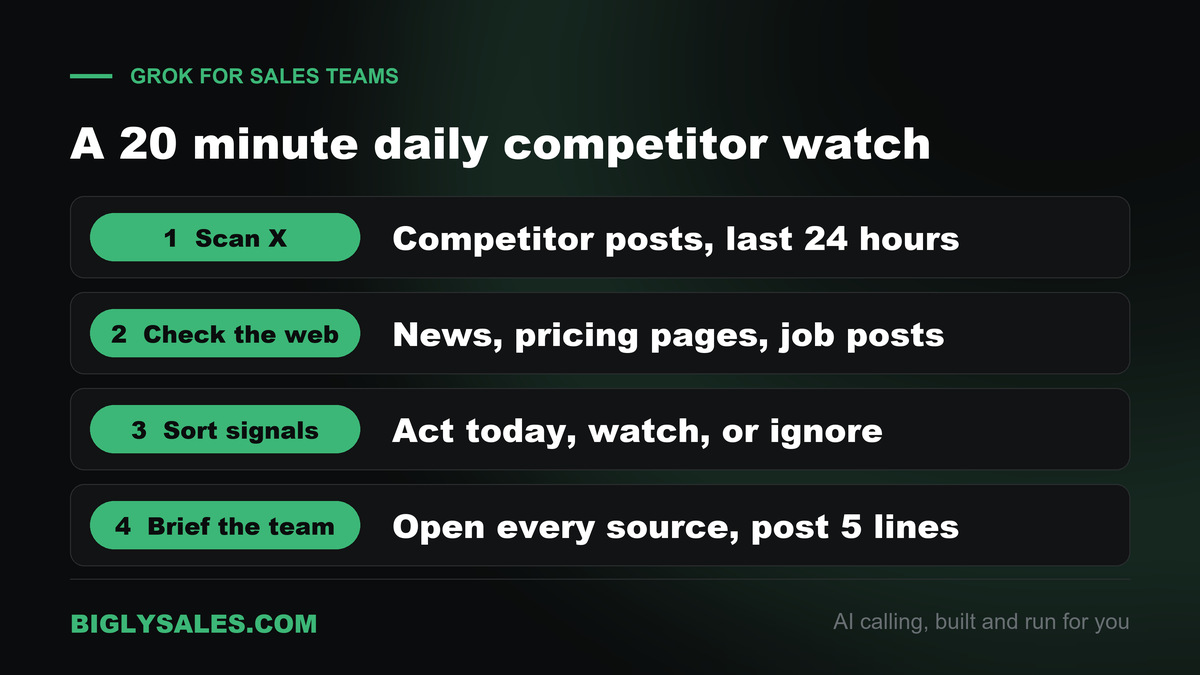
A 20 minute daily competitor watch
Here is a routine that fits before the first call block of the day.
- Scan X, five minutes. Ask Grok what each competitor posted or was mentioned in over the last 24 hours. Ask for links.
- Check the web, five minutes. Ask for news, pricing page changes, job posts and press releases for the same names.
- Sort the signals, five minutes. Ask Grok to sort everything into three buckets. Act today, watch this week and ignore.
- Brief the team, five minutes. Open every source in the act today bucket yourself. Then post three to five lines the reps can use.
Most days the brief will say nothing changed. That is fine. The day a rival raises prices or goes down for six hours, your team hears it first.
A prompt library for competitor and market monitoring
Hand these to whoever runs the watch. Swap in your own names, handles and industries.
| Job | Prompt to try | What to check before you use it |
|---|---|---|
| Competitor news | What did these five companies post on X or announce on the web in the last 24 hours? Give me links and dates. | Open each link. Grok can mix up companies with similar names. |
| Pricing moves | Has any of these competitors changed its pricing or plans in the last 30 days? Quote the source. | Compare with the competitor’s live pricing page. |
| Buyer complaints | Find recent posts from people complaining about these tools. Group the complaints by theme. | Check that posters are real buyers, not other vendors. |
| Account triggers | Scan news and X for these 25 companies. Flag funding, hiring, expansion or leadership changes. | Confirm on the company’s own site or a news source. |
| Industry pulse | What are insurance agency owners on X worried about this week? Cite five posts. | Five posts are a mood, not a market. |
| Event watch | Who is posting about this trade show, and which of our target accounts are attending? | Attendance claims on X are often guesses. |
| Battlecard refresh | Using my notes and anything new this month, update this competitor battlecard. Mark what changed. | Remove any claim you cannot source. |
| Weekly roundup | Summarize this week’s competitor and market signals in ten bullets a rep can read in two minutes. | Keep the source links in the doc. |
After a month, keep the prompts your team actually used and delete the rest. A short library gets used. A long one gets ignored.
How to read X signals without fooling yourself
Live data is only useful if you read it with some suspicion. Here is where monitoring goes wrong.
- X is not your market. Many buyers never post. A loud thread from ten accounts can feel like a trend when it is ten people.
- Vendors post about vendors. A lot of the chatter about any software category comes from sellers, consultants and agencies, not from people who buy.
- Summaries drift. Grok can merge two posts, misread sarcasm or attach a quote to the wrong company. The source link is the fact. The summary is a pointer.
- Old news resurfaces. A repost can make a year-old announcement look new. Check the date on the original post.
A simple rule works. Nothing goes in front of a buyer unless someone on your team opened the original source.
Free setup, live fast
Turn today’s signals into conversations
Bigly Sales runs fully managed AI calling for inbound and outbound, with live transfer to your reps. You get a free 30-minute setup, a $1,000 value, and most teams go live within 24 hours.
Turning signals into talk tracks and call lists
A monitoring brief that nobody acts on is just reading. Close the loop in three ways.
Talk tracks
When a competitor raises prices or has an outage, ask Grok to draft two or three sentences a rep can say on a call. Keep them factual and short. A rep should never trash a rival on the phone. Pointing to a public, dated fact is enough.
Call lists
When a target account has news, add it to a short list for the day. If Salesforce is connected, ask Grok to pull the owner and the last activity for each account, so the right rep gets the right name. Calling rules still apply to every number on that list, whatever prompted the call.
Battlecards
Once a month, feed Grok your current battlecards and the month’s signals. Ask it to mark what changed. Then a person signs off on every line before the cards go back to the team.
Automate the watch with Grok Bot routines
Grok Bot is a separate product from the Grok chat app. It gives you AI teammates that work on their own cloud computer with a browser and files, and it is included on Premium, Super and Ultra.
Two pieces matter for monitoring. A skill is a saved set of instructions for how to do a task. A routine tells a Bot when to run it, on a schedule or when something happens. Per the Grok Bot docs on skills and routines, routines run in the cloud while your laptop is closed.
- Run the daily watch by hand in a Bot conversation until the output is right.
- Ask the Bot to save it as a skill called Daily competitor watch. Include your watch list, the brief format and the sources to check.
- Ask it to run that skill every weekday at 8 AM in your time zone and post the brief in the conversation.
- Add a boundary in plain words. The Bot must not message customers, post anywhere or change records.
- Tell it what to do if a source is down. Report the failure instead of using old data.
Grok Bot shows an approval card before actions that need your OK, such as sending a message. Keep those approvals on for anything that leaves your team.
The Grok API for sales ops
If you have a sales ops person or a developer, the API turns monitoring into data. The X Search tool docs show you can limit a search to up to 20 X handles, exclude handles and set a date range. That is how you build a competitor feed that only reads the accounts you care about.
Costs, as listed in the docs on November 2, 2026, are low for this kind of job. The grok-4.7 model costs $2 per million input tokens and $6 per million output tokens for prompts under 200,000 tokens. X Search adds $5 per 1,000 posts fetched and $10 per 1,000 profiles. Web Search costs $5 per 1,000 calls. Paid plans include API access, but API usage is billed separately from the plan.
A daily script can pull competitor posts, ask Grok to score each one and drop the results in a spreadsheet. Set a spending cap before you schedule anything.
How to use Grok with an MCP server
MCP, the Model Context Protocol, is an open standard that lets an AI assistant talk to other software. Grok calls these connections connectors. Our guide to MCP servers for AI calling explains the idea in plain words.
Add a custom MCP connector in Grok
Grok’s connector docs list the steps.
- Go to grok.com/connectors.
- Click New Connector, then select Custom.
- Enter the MCP server URL and complete any sign in it asks for.
- Grok finds the tools the server offers and uses them in your chats when a question needs them.
The server must be reachable over the public internet. On Grok Business and Enterprise, a team admin adds the connector first in the console under Grok Business, then Connectors, then Add Connector, then Other. Members connect their own accounts after that.
Connect the Bigly Sales MCP server
The Bigly Sales MCP server brings your calling data into the chat. Bigly Sales says it works with Grok, ChatGPT, Claude and Gemini, and it is available to every Bigly Sales customer. The assistant sees only what your Bigly account is allowed to see.
This is where monitoring meets your own numbers. Grok tells you a competitor just raised prices. The Bigly connector tells you which leads that competitor’s customers became in your account last month, who asked for a callback and how this week’s campaign is pacing. One chat holds both sides.
| Job | Example question | Keep in mind |
|---|---|---|
| Call outcomes | Show today’s outcomes for the insurance campaign, grouped by disposition | Numbers come from your live account |
| Interested leads | Which leads said they were interested this week? | Check the transcript before a rep calls back |
| Follow-ups | List everyone who asked for a callback and when | Calling windows still apply |
| Contacts and lists | Add these ten accounts to a list and send it to the follow-up campaign | Start with read questions before changes |
| Pacing and minutes | How is the campaign pacing, and how many minutes have we used? | Compare with your plan’s minutes |
Ask your Bigly team
Bigly Sales does not publish a public server address or sign in steps on its site. Your account rep walks you through setup, and the free setup session includes a Bigly MCP walkthrough. Bring these questions.
- What is the server URL for my account, and how do I sign in from Grok?
- Which tools can read data and which can change it?
- Can a Grok Business admin add it once for the whole team?
- Who on my team should have access, and how fast can access be removed?
- Is there a log of what the assistant asked for?
Start with read questions, such as outcomes and transcripts. Add actions that change data, like sending a list to a campaign, one at a time once you trust the answers.
Privacy and data settings
Check these before reps paste anything about a customer.
- Improve the model. On grok.com and the apps, Data Controls has an improve the model toggle. If it is on, some chats may be used to improve the product and model. Decide as a team whether it stays on.
- Private Chats. Grok offers Private Chats for regular conversations. They are not available in Build mode.
- Business workspaces. Grok Business gives each user a personal and a team workspace. Team conversations fall under the enterprise terms and can only be shared with licensed teammates. The Business page lists no training as a feature.
- The API. The docs say prompts and outputs are not used for training without your explicit permission, and requests are kept for 30 days for abuse review.
- Files. Delete uploads at grok.com/files when the job is done.
Monitoring public posts is low risk. Pasting a customer’s call transcript into a personal account is not. Keep customer data in a team workspace or reach it through a connector that respects permissions.
Who this is wrong for
- Teams whose buyers never use X. If your market lives on LinkedIn or in trade journals, Grok’s main edge shrinks.
- Teams that want help inside Outlook, Teams and Excel. Our Copilot guide fits better.
- Teams that will act on a summary without opening the source. Live data makes mistakes travel faster.
- Teams that want an AI to dial and talk to leads. Grok does not place calls to your leads. That is a calling platform’s job.
Grok vs Claude, ChatGPT, Gemini and Copilot for sales
Every assistant here can help with prep and writing. The difference is where each one looks and where it lives. The other guides in this series cover each one in depth.
| Assistant | Where it lives | Stands out for | Good fit for |
|---|---|---|---|
| Grok | grok.com, the apps and X | Live search across X and the web | Competitor and market monitoring |
| Claude | Its own app, desktop and web | Long documents and careful writing | Teams that write long reports and proposals |
| ChatGPT | Its own app and workspace | A broad assistant workspace for teams | Teams that want one general assistant |
| Gemini | Gmail, Docs, Sheets and Meet | Working inside Google Workspace | Teams that run on Google Workspace |
| Copilot | Outlook, Teams, Excel and PowerPoint | Working inside Microsoft 365 | Teams that run on Microsoft 365 |
Many teams end up with two. One for the daily work inside email and docs, and Grok for watching the market.
How to use Grok FAQ
How do I use Grok for sales?
Use it as your team’s early warning system. Ask Grok to scan X and the web for news about your competitors, your buyers’ industry and your target accounts, then turn what it finds into a short brief, a talk track or a call list. Save the prompts that work. Check every claim against the original post or page before a rep repeats it to a buyer.
Is Grok free to use?
Yes, with limits. When checked on November 2, 2026, x.ai listed a Free plan at $0 with limited chat and agent requests. Paid plans start at $8 a month for Plus and $30 a month for Premium, which adds Grok Bot and four times the usage of Plus. A competitor watch you run every day will hit the free limits fast.
How much does Grok cost for a sales team?
Team seats on The X Subscription cost $30 per seat per month on Premium, $100 on Super and $200 on Ultra, and you can mix seat types on one team. The x.ai Business page also lists Grok Business at $30 per user per month. Enterprise pricing is custom. Prices were checked on November 2, 2026 and exclude tax.
Can Grok search X in real time?
Yes. Grok searches the web and X live, so answers can reflect posts from today rather than old training data, and it shows citations you can click. That is its biggest difference from most assistants. Live does not mean accurate, though. Open the cited posts before you act on anything Grok summarizes.
What is the difference between SuperGrok and The X Subscription?
SuperGrok was the older paid Grok plan. On October 12, 2026, the company introduced The X Subscription, which bundles Grok, Grok Bot, Cursor and X Premium benefits in one plan. New customers choose from Plus, Premium, Super and Ultra. Existing SuperGrok and X Premium subscribers can keep their current plan or switch.
Can Grok connect to Salesforce or Gmail?
Yes. Grok’s built in connectors cover Gmail and Google Calendar, Google Drive, OneDrive, Outlook, Microsoft Teams, SharePoint and Salesforce. You add them at grok.com/connectors and sign in once. On Grok Business and Enterprise, a team admin must add the connector in the console before members can use it. The Salesforce connector respects each user’s own permissions.
Does Grok support MCP servers?
Yes. On grok.com you can add a custom MCP connector by choosing New Connector, then Custom, and entering the server URL. The server must be reachable over the public internet. On Business and Enterprise plans an admin adds it first in the console. The Grok API also supports remote MCP servers over Streamable HTTP and SSE.
Can Grok connect to Bigly Sales?
Yes. Bigly Sales says its MCP server works with Grok, along with ChatGPT, Claude and Gemini, and the server is available to every Bigly Sales customer. You add it as a custom connector in Grok and sign in to your Bigly account. Ask your Bigly team for the server address and the exact sign in steps for your account.
Does Grok train on my sales data?
It depends on the plan and your settings. On grok.com and the mobile apps there is an improve the model toggle under Data Controls, so check it before reps paste anything sensitive. The Grok Business page lists no training as a plan feature. For the API, the docs say prompts and outputs are not used for training without your explicit permission.
Should a sales team use Grok, ChatGPT, Claude, Gemini or Copilot?
Pick by job. Grok stands out for live X and web search, which makes it a strong fit for competitor and market monitoring. Gemini fits Google Workspace teams, Copilot fits Microsoft 365 teams, and ChatGPT and Claude suit teams that want a separate writing and analysis workspace. Many teams use two. None of them places calls to your leads.
The bottom line
Grok’s real advantage for a sales team is speed of information. It sees what competitors, buyers and target accounts post on X and the web today. Give one person a Premium seat, a watch list and the prompt library above, and your reps will hear about market changes before their prospects bring them up.
Grok tells you who to call and what to say. It does not make the calls. When you want AI that dials, qualifies and transfers live to your reps, pair your monitoring desk with a calling platform built for that job.
Ready to talk
Call the accounts your Grok brief flags
Bigly Sales plans start at $99 a month for inbound and outbound AI calling. Book a call and we will map a plan to your call volume and show you the MCP connection.