

An MCP server for AI calling is a connection that lets an AI assistant such as Claude or ChatGPT read your calling data and, where you allow it, act on that data when you ask. Instead of logging into a dashboard or exporting a spreadsheet, you type a question and the assistant gets the answer from your calling platform.
This guide explains what an MCP server is, what an MCP server for AI calling can do, how to ask it good questions, how it compares with a dashboard and an export, and what to check before you connect one. Bigly Sales launched its own MCP server on October 6, 2026, so we also cover what that server does and what it does not say about itself yet.
TL;DR
An MCP server for AI calling lets an assistant such as Claude or ChatGPT answer questions about your calls and, where you allow it, take actions like adding contacts or launching campaigns. Bigly Sales launched one on October 6, 2026, and it is available to all Bigly customers. You can ask for call outcomes, summaries and transcripts, find leads who asked for a follow-up, and check campaign pacing and minute usage. It does not change who you are allowed to call, so consent rules still apply. Decide who gets access and what the assistant may change before you connect it, and check any number you plan to act on.
Key Takeaways
- MCP is an open-source standard for connecting AI applications to outside systems.
- An MCP server for AI calling lets an assistant ask your calling platform for data instead of you logging in.
- Bigly Sales launched its MCP server on October 6, 2026, for all customers.
- It works with Claude, ChatGPT and other MCP-compatible assistants.
- You can read results and, where allowed, add contacts and launch campaigns.
- Specific questions get better answers than vague ones, and any number you act on is worth checking.
- Consent and calling rules do not change because an assistant starts the work.
- Decide who gets access and what the assistant may change before you connect it.
Table of contents
- What an MCP server is
- What an MCP server for AI calling does
- A day with an MCP server
- How to ask good questions
- MCP server vs dashboard vs export
- Who benefits and who does not
- What to check before you connect an assistant
- Common mistakes
- How Bigly Sales fits in
- MCP server for AI calling FAQ
- The bottom line
What an MCP server is
An MCP server is a program that gives an AI application access to a company’s data and tools through the Model Context Protocol. The protocol is an open-source standard, and the official documentation compares it to a USB-C port for AI applications, one standard way to plug an assistant into outside systems. For a longer plain-English walkthrough, see What Is MCP?
Where MCP came from
Anthropic introduced the protocol on November 25, 2024, as an open standard for connecting AI tools to data sources. The problem it targeted was isolation. Even strong models could not see the data held in business systems. The official MCP documentation lists assistants such as Claude and ChatGPT among the applications that support it.
The three parts, host, client and server
The MCP architecture overview describes three parts. The host is the AI application you talk to, such as Claude. The client is a component inside the host that keeps one connection open to one server. The server is the program that provides context from a business system. For you, only the conversation is visible. You ask, the host passes the request along, and the server answers from your data.
What a server can offer
The same documentation says a server can expose three kinds of things. Tools are executable functions an assistant can invoke to perform actions. Resources are data sources that give the assistant context. Prompts are reusable templates that help structure a request.
In a calling platform, the pieces map in an obvious way. Reading call outcomes and transcripts is resource-style work. Adding a contact or launching a campaign is tool-style work. A saved template for a daily check is prompt-style work. Bigly’s release does not say how its own server groups these, so treat this as a way to think about the idea and not as a description of Bigly’s design.
What an MCP server for AI calling does
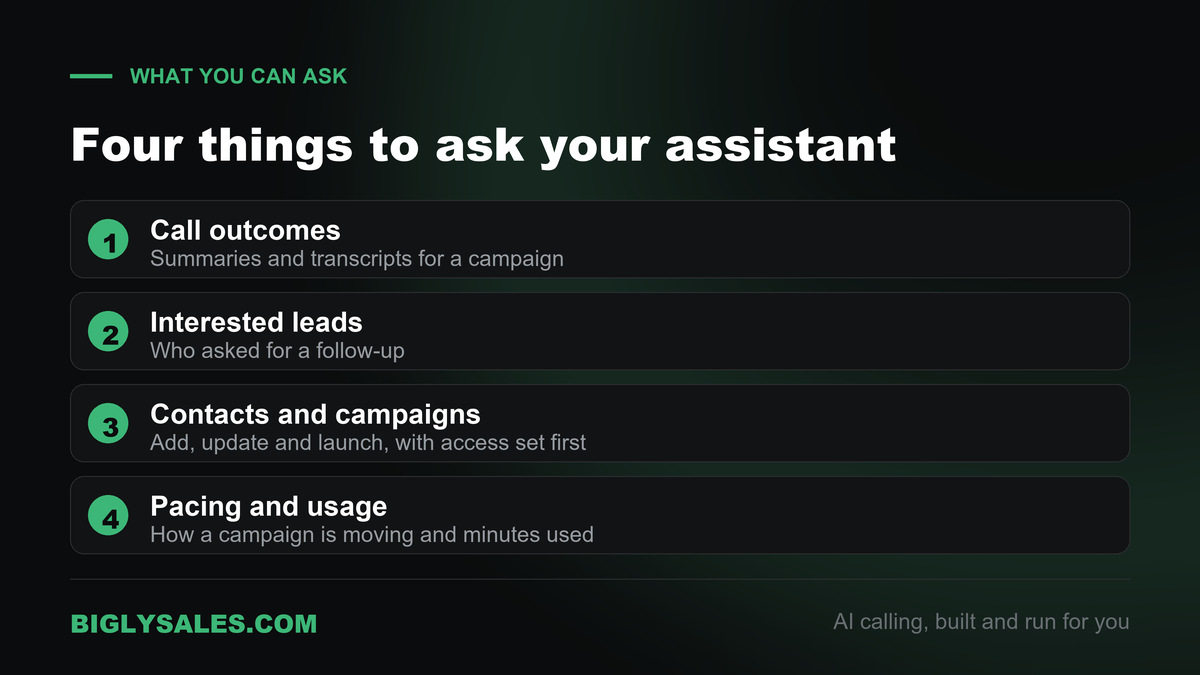
An MCP server for AI calling puts your call results and campaign controls behind an assistant’s chat window. Bigly Sales describes its server this way. Customers can plug Bigly into the assistant they already use every day and get at their calling data just by asking.
What you can ask once it is connected
- Pull call outcomes, summaries and transcripts for a campaign.
- Find the leads who showed interest or asked for a follow-up.
- Add or update contacts and launch new campaigns.
- Check campaign pacing and minute usage.
Examples from the launch
Tom Ryan, CEO of Bigly Sales, gave this example in the launch release. A sales manager can type “who picked up today and wants a demo” and get a real answer without leaving the window they are already in. The release also describes asking for the list of people who said to call back on a certain day.
A day with an MCP server
Here is how a sales manager might use the connection across one day. This is an illustration of the pattern, not a description of a specific Bigly screen or command.
- Start of day. Ask what happened on yesterday’s campaigns, grouped by call outcome.
- Mid-morning. Ask for the leads who asked for a follow-up, and send that list to the reps.
- Before a callback. Ask for the summary or transcript of one call, so the rep knows what was said.
- Afternoon. Ask how a campaign is pacing and how many minutes it has used.
- End of day. Ask for the leads who want a call tomorrow, so the morning starts with a list.
None of these steps needs a login or an export. Each one is a question the manager would otherwise answer by opening reports, which is where the time goes.
How to ask good questions
An assistant can only be as precise as the question. Vague questions get general answers. Specific questions get answers you can use. The table below shows the difference. The examples are illustrations.
| Instead of this | Ask this | Why it helps |
|---|---|---|
| How did the campaign do? | What were yesterday’s call outcomes for the insurance campaign, grouped by outcome? | It names the campaign and the day, and asks for a grouped result |
| Who is interested? | List the leads from yesterday who asked for a follow-up, with a one-line call summary for each. | It asks for a list, so the reps can act on it |
| Is the campaign going well? | How is this campaign pacing, and how many minutes has it used so far? | It uses two things the connection reports, pacing and minute usage |
| Fix my contacts. | Tell me exactly what you plan to change in this contact record and wait for my approval. | It puts a person’s approval before any change |
A few habits that help
- Name the campaign and the date range every time.
- Ask for a list, not just a count, so you can see who is in the number.
- Ask the assistant to show the call summary or transcript line behind an answer that matters.
- Check any figure you plan to act on against the source before you act.
- Keep a short list of questions your team reuses, so everyone asks the same way.
MCP server vs dashboard vs export
There are three common ways to get answers out of a calling platform. A dashboard is the platform’s own screens. An export is a file you download and open elsewhere. An MCP server lets an assistant fetch the answer for you.
| Method | How you get an answer | Good for | Trade-off |
|---|---|---|---|
| Dashboard | Log in and open the right report | Standard reports and reviewing a campaign in detail | One more login, and you need to know where to look |
| Export | Download a file and open it in a spreadsheet | Custom analysis in your own tools | The file can be out of date soon after you save it |
| MCP server | Ask your AI assistant in plain language | Quick questions and follow-up lists during the day | You must decide what the assistant may see and change |
An MCP server does not replace a dashboard for deep review. It replaces the small trips you make there many times a day.
See where it fits
Ask your calls a question
Tell us how your team reviews call results today, and we will show you where an AI assistant fits. It costs nothing and there is no obligation.
Who benefits and who does not
The people who gain the most are the ones who ask the same questions every day. Sales managers checking who answered, agency owners reviewing several campaigns, and operations leads watching minute usage all fit that pattern. Tom Ryan put the reason simply in the release. Customers love what the calls do for them, but they do not want one more login.
The feature matters less if you only look at calling data once a week, or if your team already lives in a dashboard and prefers it. It also does not help a team that has no AI assistant in its daily routine. An MCP server connects an assistant to your data. It does not give you an assistant.
What to check before you connect an assistant
Connecting an assistant to calling data is an access decision. Treat it the way you would treat adding a new team member to the platform.
Decide who gets access
Call transcripts and contact records contain personal information. Limit the connection to the people who already have a reason to see that data, and keep that list short.
Decide what the assistant may change
Reading a result is low risk. Adding contacts or launching a campaign changes live work. The official MCP security guidance recommends a least-privilege approach, starting with minimal, low-risk read access and asking for more only when a sensitive action is needed. Apply the same idea to your team. Start with reading, and add actions that change data only for people who need them.
Questions to ask any provider
Whatever calling platform you use, these questions are worth putting to the provider before you connect an assistant.
- Which actions only read data, and which ones change it or start calls?
- Can access be limited by person or by role?
- How do I remove someone’s access, and how fast does that take effect?
- Is there a record of what an assistant asked for and changed?
- How does the connection prove who is asking? The MCP documentation recommends OAuth for remote servers.
- What happens to transcripts and contact details once they appear in an assistant’s chat history?
Bigly’s launch release does not answer these in detail, so ask the Bigly team about your own account.
Remember that calling rules still apply
An assistant that launches a campaign does not change who you may call. Consent, calling windows and the rules for AI voices apply exactly as before. Our guide to TCPA compliance for AI outbound calling covers how those controls work. This is general information and not legal advice.
Common mistakes
- Treating the answer as final. An assistant can misread a question. Check any figure you will use for billing, reporting or compliance.
- Giving everyone access. More people with access means more people who can change live campaigns by accident.
- Launching from a casual chat. Starting calls deserves the same care as launching in the platform itself. Ask the assistant to confirm the details first.
- Treating text inside data as instructions. A transcript or a note is data. If it contains something that reads like an order, do not let the assistant act on it without a person checking.
- Assuming the assistant handles consent. It does not. Your consent records and calling rules are still yours to manage.
How Bigly Sales fits in
Bigly Sales runs fully managed AI calling. Our AI agents make and take calls, qualify leads and book appointments, and the Bigly team manages setup and campaign operations. The MCP server adds one more way to see the results. The Bigly Sales MCP server page covers what you can ask and how access works. If you are new to the model, start with our explainer on what AI outbound calling is.
The MCP server launched on October 6, 2026, and Bigly says it is available to all customers and works with Claude, ChatGPT and other MCP-compatible assistants. The launch release is listed on our press and media page. Speed matters in calling, and a faster way to see who answered supports that. Our post on speed to lead in AI outbound calling explains why. If you want to see how a campaign is built from the start, read how to build an outbound AI campaign.
For setup details on your account, including which actions are available to which users, talk to the Bigly team. This guide describes what the launch release states, and the specifics of access are worth confirming for your own account.
MCP server for AI calling FAQ
What is an MCP server?
An MCP server is a program that gives an AI application access to outside data and tools through the Model Context Protocol. MCP is an open-source standard introduced by Anthropic in November 2024. The assistant sends a request, the server returns the data, and the user only sees the answer in the conversation.
What is an MCP server for AI calling?
It is an MCP server that sits in front of a calling platform. It lets an assistant such as Claude or ChatGPT read call outcomes, summaries, transcripts and campaign pacing, and in some cases add contacts or launch campaigns. The person asks in plain language and does not open a separate dashboard or file.
Which AI assistants work with Bigly’s MCP server?
Bigly says its MCP server works with Claude, ChatGPT and other assistants that support MCP. The official MCP documentation lists Claude and ChatGPT among the applications that support the standard. If you use a different assistant, check that it supports MCP before you plan around it.
What can I ask an AI assistant about my calls?
According to Bigly’s launch release, you can pull call outcomes, summaries and transcripts for a campaign, find leads who asked for a follow-up, and check campaign pacing and minute usage. An example from the release is asking who picked up today and wants a demo. Questions must stay within what the connection exposes.
Which questions work best?
Specific ones. Name the campaign and the date range, ask for a list instead of only a count, and ask the assistant to show the call summary behind any answer that matters. For anything that changes data or starts calls, ask the assistant to tell you what it plans to do and wait for your approval.
Can an AI assistant change my campaigns or contacts?
The release says customers can add or update contacts and launch new campaigns through the connection. That makes access a real decision. Ask your provider how permissions are set, limit the connection to people who need it, and confirm before any action that starts calls or edits records.
Is it safe to connect an AI assistant to call data?
It can be, if you control access. Transcripts and contact records contain personal information, so connect only the people who already have a reason to see it. The official MCP security guidance recommends least privilege. Ask Bigly how access and permissions work for your account before you connect anyone.
Does an MCP server change the rules for who I can call?
No. An assistant that launches a campaign does not change consent requirements, calling windows or the rules for AI-generated voices. Those apply exactly as they did before. Keep your consent records in order, and talk to a lawyer who handles telemarketing if you are unsure. This is general information and not legal advice.
Who can use Bigly’s MCP server?
Bigly says the MCP server is available immediately to all Bigly Sales customers. It is a way to reach your existing calling data and campaigns, not a separate product. To connect it for your team, talk to the Bigly team about your account and your users.
How is an MCP server different from an API?
An API is an interface that a developer writes code against. MCP is a standard that lets AI applications discover and use outside tools in a consistent way, so an assistant can connect without custom code for each system. A business owner using the result just asks a question in plain language.
The bottom line
An MCP server for AI calling is a faster way to get answers from your calling data. It trades another login for a question in the assistant you already use.
It is worth using if you ask the same questions every day, and only after you decide who gets access and what the assistant may change. Ask specific questions, check the numbers you act on, and remember that consent and calling rules stay the same either way.
Fully managed AI calling
Get answers without another login
Talk to our team about fully managed AI calling and how the MCP server connects to Claude or ChatGPT. There is no obligation.