

Mistral Vibe is the AI assistant from Mistral AI, and it is the new name for Le Chat.
Same login. Same web address. New name, and a lot more it can do.
The switch shows up in search. When I checked Google Keyword Planner on November 11, 2026, US searches for “le chat” were down 90% year over year. Searches for “mistral vibe” were up 9,900%.
So if you went looking for Le Chat and landed somewhere new, you are in the right place.
This guide covers what Vibe is, what happened to Le Chat, what it costs, how to set it up, the tools it connects to, 6 jobs to hand it and where your data lives. It is the ninth guide in our AI assistant series, after how to use Claude, ChatGPT for teams, how to use Gemini, how to use Copilot, how to use Perplexity, how to use DeepSeek and Meta Muse.
Key Takeaways
- Le Chat is now Vibe. Your account, plan and old chats carried over.
- Vibe has three modes. Work does tasks, Code is for developers and Chat is plain conversation.
- There is a free plan. Pro costs $14.99 a month and Team costs $24.99 per user a month, before tax.
- Mistral hosts your data in the European Union by default.
- On individual plans, training on your chats is on until you opt out.
- Vibe asks for approval before it acts in a connected tool.
- It accepts custom MCP servers, which Mistral labels as beta.
Table of contents
- What Mistral Vibe is
- What happened to Le Chat
- Work, Code and Chat modes
- Where you can use Vibe
- Vibe plans and prices
- How to set up Vibe for your business
- The tools Vibe connects to
- 6 business jobs to hand Vibe
- Where your data lives and who trains on it
- Vibe, MCP and Bigly Sales
- Who should skip Vibe
- Vibe vs ChatGPT vs Claude for business
- Mistral Vibe FAQ
- The bottom line
What Mistral Vibe is
Mistral Vibe is an AI chat assistant and agent for work and code, made by Mistral AI in Paris.
That is close to how Mistral puts it on the Vibe product page.
You can use it three ways. Ask it a question. Hand it a task that touches several of your apps. Or have it write and fix code.
The task part is what changed most. Le Chat mostly answered. Vibe can read your inbox, check your calendar, pull a file and come back with a draft, then wait for your OK.
Mistral is also the main European name in this field. That matters if you care where your data sits, and I cover it below.
What happened to Le Chat
Le Chat was renamed. It was not shut down.
Mistral’s help center has an article titled Le Chat is now Vibe, dated August 12, 2026. It says Le Chat has become Vibe, one agent for productivity and coding.
Here is what stayed the same, in Mistral’s words.
- Your account, plan, conversations and saved content move with you.
- The address is still chat.mistral.ai.
- You sign in with the same login.
The article is blunt about it. “Nothing you have created is lost.”
One note on dates. Mistral’s changelog lists Vibe launching at chat.mistral.ai on May 28, 2026, and the help article is dated August 12. So the new product arrived in late May and the name change notice followed in August.
You will still see the old name in places. When I checked on November 11, 2026, Mistral’s product page still linked to mobile apps listed as “Le Chat by Mistral AI.”
Work, Code and Chat modes
Vibe has three modes. Each one is built for a different kind of job.
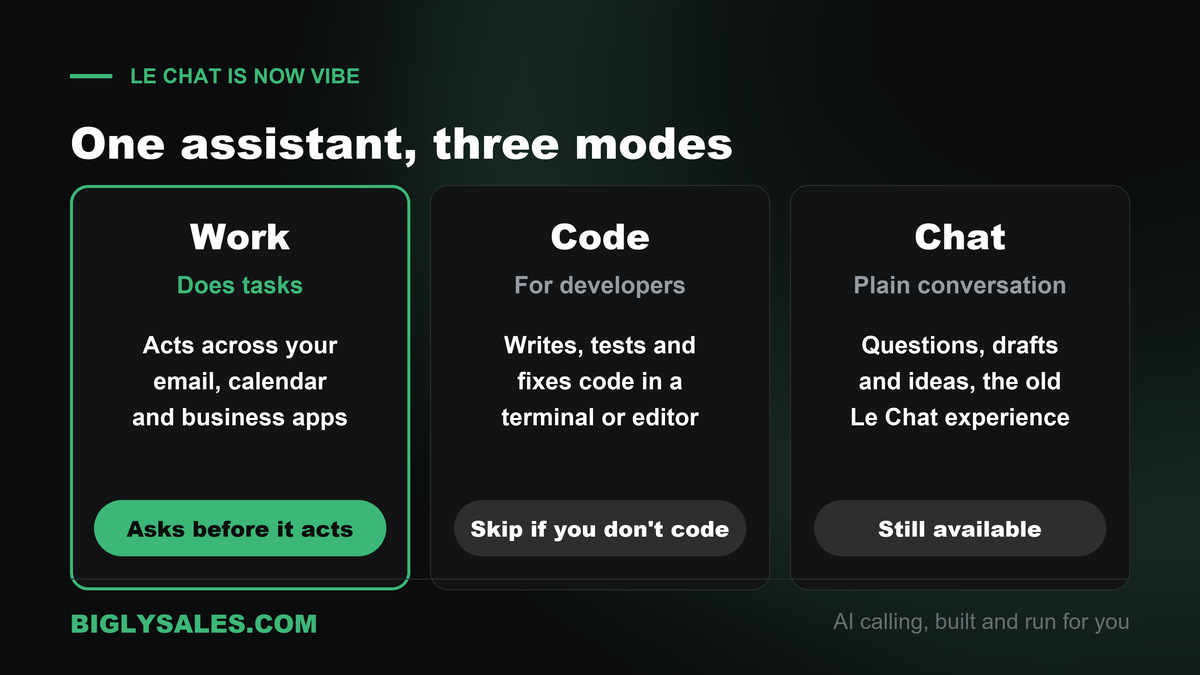
| Mode | What it does | Where it runs | Who it is for |
|---|---|---|---|
| Work | Carries out multi-step tasks across your apps and tools | Web and mobile | Owners and teams |
| Code | Writes, tests and fixes code | Terminal, code editors and web | Developers |
| Chat | Plain back and forth conversation, as in Le Chat | Web and mobile | Quick questions and drafts |
If you are not a developer, ignore Code. You will spend your time in Work and Chat.
A simple rule helps. Use Chat when you want an answer. Use Work when you want something done.
Where you can use Vibe
You can use Vibe in a browser or on your phone.
- On the web at chat.mistral.ai
- In the iPhone app
- In the Android app
Developers also get a command line tool and plug-ins for code editors.
There is a voice mode too. You speak your task instead of typing it, then check the text before you send. Mistral says it works on the web and in both phone apps, on every plan, in 13 languages.
Vibe plans and prices
Vibe is cheaper than most of the assistants in this series. These numbers come from Mistral’s pricing page, checked November 11, 2026.
| Plan | Price | What you get | Good for |
|---|---|---|---|
| Free | $0 | Limited messages and web searches, 100+ connectors | Trying it out |
| Pro | $14.99 a month | More messages and searches, up to 15 GB of storage, $15 a month in API credits | One owner using it daily |
| Team | $24.99 per user a month | Higher limits, up to 30 GB per user, domain verification, data export | A small team |
| Enterprise | By quote | Audit logs, single sign-on, custom deployments | Larger companies with strict rules |
Verified students can get Pro for $5.99 a month for up to 12 months.
My advice is to start on Free. Move to Pro only when you keep running into the message limit.
How to set up Vibe for your business
Setup takes a few minutes. Here is the order I would follow.
- Create your account. Go to chat.mistral.ai and sign up. If you had a Le Chat account, use the same login.
- Decide on training. On individual plans, your chats can be used to train Mistral’s models until you opt out. Do that first if it matters to you. The steps are in the privacy section below.
- Connect one tool. Open the Connectors page from the sidebar, find the tool and click Connect. Sign in when it asks.
- Give it one small job. Pick something you can check in five minutes.
- Watch the approvals. Before Vibe sends an email or changes a file, it asks. You can pick Continue, Always allow or Decline. Stay away from Always allow for now.
- Add the next tool. Only after the first job works.
Full steps are in Mistral’s connector docs.
The tools Vibe connects to
Mistral’s product page says Vibe works with more than 100 tools. Its docs feature a shorter list, which is the one most businesses will care about.
| Group | Tools | What Vibe can help with |
|---|---|---|
| Email and calendar | Gmail, Google Calendar, Outlook, Outlook Calendar | Replies, catch-up notes, meeting prep |
| Team chat and notes | Slack, Notion | Summaries, drafts, action items |
| Files | Box, SharePoint | Finding and reading documents |
| Money | Stripe | Payment questions and reports |
| Projects | Linear, Jira and Confluence from Atlassian | Task updates and status notes |
| Code | GitHub | Reading and changing code |
Two things I like here.
First, Vibe asks before it acts. Second, Mistral says data pulled through a connector is never used to train its models, on any plan.
If you manage a team, you can also switch off any connector for the whole organization.
Free setup, live fast
Turn that follow-up list into booked calls
Bigly Sales runs fully managed AI calling for inbound and outbound, with live transfer to your team. You get a free 30-minute setup, a $1,000 value, and most teams go live within 24 hours.
6 business jobs to hand Vibe
Every job below comes from the use cases on Mistral’s product page or from the connectors it lists. Start with one.
1. Catch up after time away
Ask Vibe for a briefing across your email, team chat and calendar. You get what happened, what is waiting on you and what is next.
2. Prepare for a meeting
Point it at tomorrow’s calendar. Ask for a one page brief on each meeting, with the last emails from the people in the room.
3. Draft the replies you keep putting off
Vibe writes the first draft. You fix the tone and send it yourself.
4. Research before a decision
Comparing two suppliers or two software tools? Ask Vibe to research both across the web and your own documents, and to list its sources.
5. Make sense of a spreadsheet
Upload last quarter’s numbers and ask what changed. Then ask it to turn the answer into a short report or a few slides. Mistral lists spreadsheet and slide generation on the Pro plan.
6. Run the same task every week
Vibe can schedule recurring tasks. A Monday summary of open customer emails is a good first one.
Here are prompts you can copy.
| Job | Prompt to try | Connect first |
|---|---|---|
| Catch up | I was out for three days. What needs my reply first? Give me a short list with one line on each. | Gmail or Outlook, Slack |
| Meeting prep | Write a one page brief for each meeting I have tomorrow. Include the last email from each person. | Calendar, email |
| Replies | Draft replies to customer emails from this week that I have not answered. Do not send. | Gmail or Outlook |
| Research | Compare these two vendors on price, contract length and support. List every source you used. | None |
| Payments | Which Stripe payments failed last week, and which customers do they belong to? | Stripe |
| Weekly task | Every Monday at 8 AM, list customer emails still waiting on a reply. | Gmail or Outlook |
Notice the words “do not send.” Keep them in your prompts until you trust the results.
Where your data lives and who trains on it
This is the section where Vibe stands apart, so read it slowly.
Where it is stored. Mistral’s help center says your data is hosted in the European Union by default. It also says some features can move data outside the EU for a short time, and it lists those places in its Trust Center.
Who trains on it. This part surprises people. On individual plans, Mistral says users are not opted out by default. Your chats can be used for training until you switch it off.
| Plan | Training on your chats | How to change it |
|---|---|---|
| Free, Pro and Student | On until you opt out | In your settings |
| Team | An admin can switch it off for everyone | Admin panel, under Vibe, then Privacy |
| Enterprise | Off by default | An admin can opt in |
On your phone, open Settings, then Data and Account Controls under Account, and clear the Enable data sharing box.
In the admin panel on the web, pick Vibe, then Privacy, and turn off the switch that allows your interactions to be used for training.
One more limit to know. Mistral says zero data retention is not available for Vibe Work or Chat on any plan, because it has to keep your conversation history.
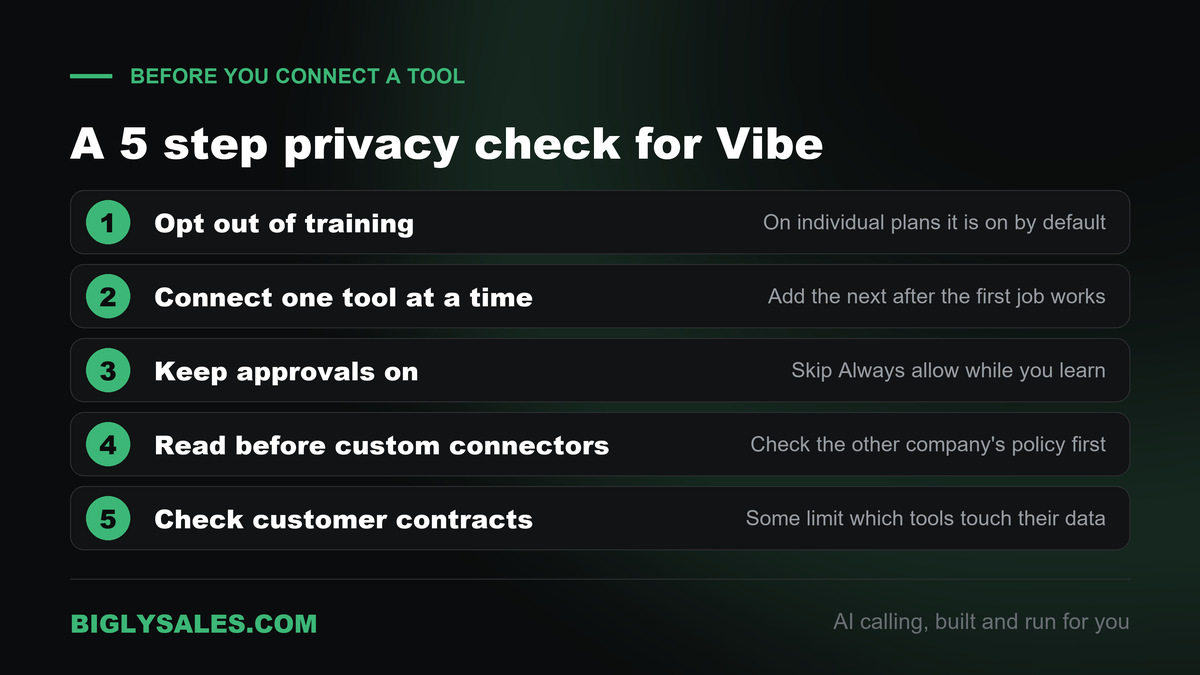
Here is my short checklist before you connect a business tool.
- Opt out of training.
- Connect one tool at a time.
- Keep approvals on. Skip Always allow.
- Read the other company’s policy before you add a custom connector.
- Check your customer contracts. Some limit which tools can touch their data.
Vibe, MCP and Bigly Sales
MCP, the Model Context Protocol, is an open standard that lets an AI assistant talk to other software. Our guide to MCP servers for AI calling explains it in plain words.
Vibe supports it. Mistral’s pricing page lists custom MCP connectors as a beta feature, and its docs give the steps.
- Open the Connectors page.
- Click Add Connector and switch to the Custom MCP Connector tab.
- Enter a name, the server address and a short description.
- Click Connect and sign in if it asks.
Only an admin can do this. On Free, Pro and Student plans, the account owner is the admin.
There are limits. Mistral says custom connectors do not yet support dynamic tool discovery, resources or prompt templates. The server also has to be reachable over a secure web address.
The Bigly Sales MCP server brings your calling data into an AI assistant. It works with ChatGPT, Claude and other MCP assistants, and the assistant sees only what your Bigly account is allowed to see.
The connection details are not public. Your Bigly account rep walks you through them during your free setup. Bring these questions.
- Which assistant should we connect first for our team?
- Which tools only read data and which can change it?
- Can we limit the connection to totals and reports, with no contact details?
- How fast can access be removed if someone leaves?
Who should skip Vibe
- Teams that live in Google Workspace or Microsoft 365 and want AI inside those apps. Our Gemini guide and Copilot guide fit better.
- Businesses that need zero data retention for chat. Mistral does not offer it for Vibe Work or Chat.
- Owners who want the largest library of ready-made apps and tutorials. ChatGPT has more of both.
- Anyone who wants AI to call leads. Vibe does not place phone calls. That is a calling platform’s job.
Vibe vs ChatGPT vs Claude for business
All three can write, research and connect to your tools. The difference is where each one is strong.
| Assistant | Made by | Stands out for | Good fit for |
|---|---|---|---|
| Mistral Vibe | Mistral AI, France | EU data hosting by default and a low price per seat | Businesses with European customers or strict data rules |
| ChatGPT | OpenAI, United States | A broad assistant with admin controls for teams | Teams that want one shared assistant |
| Claude | Anthropic, United States | Long documents, careful writing and coding help | Teams that write a lot or build their own tools |
| Gemini and Copilot | Google and Microsoft | Working inside email and docs | Teams on Google or Microsoft |
Plenty of businesses use two. One for daily work. One for the customers whose data has to stay in Europe.
Mistral Vibe FAQ
What is Mistral Vibe?
Mistral Vibe is the AI assistant and agent from Mistral AI, a company based in Paris. It used to be called Le Chat. You can chat with it, hand it multi-step tasks across your connected apps, or use it to write code. It runs on the web at chat.mistral.ai and on iPhone and Android, with a free plan to start.
Is Le Chat gone?
The name is gone, but the product is not. Mistral says Le Chat has become Vibe. You keep the same login, the same web address and the same plan. Your old conversations and saved content move with you. Inside Vibe there is still a Chat mode that works the way Le Chat did.
Is Mistral Vibe free?
Yes. Vibe has a free plan with limited messages and web searches, and Mistral’s pricing page lists more than 100 connectors on it. Pro costs $14.99 a month before tax. Team costs $24.99 per user a month before tax. Enterprise pricing is by quote. Verified students can get Pro for $5.99 a month.
What is the difference between Work, Code and Chat in Vibe?
Work is for tasks. You describe a job, and Vibe carries it out across the tools you connected, asking before it acts. Code is for developers and runs in a terminal, in code editors and on the web. Chat is plain back and forth conversation, the experience Le Chat was known for. Most business owners will live in Work and Chat.
Where does Mistral store my data?
Mistral’s help center says your data is hosted in the European Union by default. It adds that some features can move data outside the EU for a short time, and it lists those places in its Trust Center. If you call Mistral’s US API endpoint on purpose, that data is hosted in the United States.
Does Mistral train its models on my Vibe chats?
On individual plans, it can. Mistral says Vibe users are not opted out by default, and you can opt out at any time in your settings. Enterprise customers are opted out by default, and Team admins can switch training off for the whole organization. Mistral also says data pulled through connectors is never used for training.
What tools does Vibe connect to?
Mistral’s docs feature Gmail, Google Calendar, Outlook, Outlook Calendar, Slack, Notion, Box, Stripe, Linear, GitHub, SharePoint and Atlassian’s Jira and Confluence. The product page says Vibe works with more than 100 tools in total. You connect each one from the Connectors page, and Vibe asks for your approval before it takes an action in any of them.
Does Mistral Vibe support MCP?
Yes. Vibe has custom MCP connectors, which Mistral labels as beta. An admin adds one by giving it a name and a server address. On Free, Pro and Student plans the account owner is the admin. Mistral notes that custom connectors do not yet support every MCP feature, such as resources and prompt templates.
Can Vibe connect to Bigly Sales?
Bigly Sales has an MCP server that brings your calling data into an AI assistant, and Vibe accepts custom MCP servers. The connection details are not public, so ask your Bigly account rep during your free setup call. They will give you the right steps for your account and tell you what data the assistant can reach.
Should my business use Vibe, ChatGPT or Claude?
Pick by what matters most to you. Vibe is the pick when you want a European provider, EU data hosting by default and a low price per seat. ChatGPT and Claude have larger app libraries and more people who already know them. Plenty of teams keep two. None of the three places phone calls to your leads.
The bottom line
Mistral Vibe is Le Chat with a new name and real task skills. Start on the free plan, opt out of training, connect one tool and keep approvals on.
Vibe can tell you which customers are waiting on a reply. It will not pick up the phone. When you want AI that calls, qualifies and transfers live to your team, with consent and calling windows checked before every dial, pair your assistant with a calling platform built for that.
Ready to talk
Let AI make the calls your assistant lists
Bigly Sales plans start at $99 a month for inbound and outbound AI calling. Book a call and we will map a plan to your call volume and show you how the MCP connection works.