

Most reps spend their pre-call prep the same way. Ten tabs, a LinkedIn profile, the company’s About page and a news search that turns up a press release from 2023.
Perplexity does that first pass in under a minute. It runs the searches, reads the pages and writes one answer with a numbered link next to every claim. For prospect research, those links are the whole point.
This guide shows how to use Perplexity for sales as a research desk. You get the plans and prices, a 10 minute pre-call brief, a prompt library, a 5 point source check and how to connect your CRM and Bigly Sales. It is the sixth guide in our series, after how to use Claude, ChatGPT for sales teams, how to use Gemini, how to use Copilot and how to use Grok.
Key Takeaways
- Perplexity answers with numbered sources, so every claim has a link you can open.
- That makes it a strong fit for pre-call and account research.
- A 10 minute brief before each call beats an hour of open tabs.
- Research mode writes a full report in about 4 to 5 minutes.
- HubSpot connects read only. Salesforce can read and write.
- The Bigly Sales MCP server connects as a custom remote connector.
- Turn off AI data retention on personal plans before reps paste customer details.
Table of contents
- What Perplexity is
- Why Perplexity fits prospect research
- Perplexity plans and what they cost
- How to set up Perplexity for your sales team
- The 10 minute pre-call brief
- A prompt library for prospect research
- The 5 point source check
- Use Research mode for account plans
- Connect HubSpot or Salesforce
- How to use Perplexity with an MCP server
- Privacy and data settings
- Where research stops and calling rules start
- Who this is wrong for
- Perplexity vs Claude, ChatGPT, Gemini, Copilot and Grok for sales
- How to use Perplexity FAQ
- The bottom line
What Perplexity is
Perplexity is an AI search and answer tool. You ask a question in plain words. It searches the web, reads what it finds and writes an answer with links to the pages it used.
It runs on the web at perplexity.ai, in desktop and mobile apps and in its own browser, Comet. Paid plans let you pick the model behind the answer, including Perplexity’s own Sonar and models from OpenAI, Anthropic and Google.
Think of it this way. ChatGPT and Claude are writers that can search. Perplexity is a researcher that can write.
Why Perplexity fits prospect research
According to Perplexity’s Pro Search help page, it runs multiple searches across articles, papers, forums and videos, then sums them up in one answer. Every answer includes direct links to the original sources. Pro answers carry ten times as many citations as Free.
For a sales team, that matters in three places.
- Speed. One question replaces ten tabs. A rep can prep a call in the time it takes to refill a coffee.
- Proof. Every fact comes with a link. When a rep says a prospect just opened a new office, they can show where that came from.
- Follow-ups. Perplexity keeps the context of the thread. Ask about the company, then the buyer, then their competitors, without starting over.
It also reaches paid business data. Pro lists premium data sources such as PitchBook and Statista, and the help center adds CB Insights, FactSet and Morningstar. Some of these need your own access.
Perplexity plans and what they cost
The prices below come from the Perplexity pricing page and the Enterprise pricing FAQ, checked on November 4, 2026. All prices are in US dollars.
| Plan | Price | What a sales team gets |
|---|---|---|
| Free | $0 | Citations in every answer, basic models, limited daily usage |
| Pro | $17 a month, billed yearly | Deep Research, model choice, premium data sources, app connectors, Computer credits |
| Max | $200 a month or $2,000 a year | Everything in Pro, the newest frontier models, the highest limits and priority support |
| Enterprise Pro | $40 per seat a month or $400 a year | Team billing, seat management, shared Projects, data never used for training |
| Enterprise Max | $325 per seat a month or $3,250 a year | Everything in Enterprise Pro, plus SCIM, audit logs, set your own data retention and higher limits |
A few things to know before you buy.
- There is no self serve trial for Enterprise Pro or Enterprise Max.
- Adding a seat takes effect right away. Removing a member frees the seat but does not lower the bill until you cut the seat count.
- Education and nonprofit groups can get Enterprise Pro at $30 per seat a month by contacting support.
For a small team, Pro for each rep who does their own prep is enough to start. Move to Enterprise Pro when you need shared Projects, central billing and the no training promise.
How to set up Perplexity for your sales team
Spend 30 minutes on setup and every brief gets faster.
- Create a Project called Prospect research. Projects are shared workspaces that keep searches, files and instructions together. They are private by default, and you invite who you want.
- Write the instructions. Tell Perplexity who you sell to, what you sell and how a brief should look. Instructions can run up to 8,000 characters, so add your ideal customer profile and your top objections.
- Upload your sales basics. Add your one-pager, battlecards and a list of target industries. Note that files added from a connected app are one time copies and do not update on their own.
- Connect your CRM. Add HubSpot or Salesforce so a brief can include what your team already knows about the account.
- Check the data setting. On personal plans, turn off AI data retention before anyone pastes customer details. More on that in the privacy section.
The 10 minute pre-call brief
Here is a routine that fits between calls.
- Company, 3 minutes. Ask what the company does, who it sells to, how big it is and what changed in the last 90 days. Ask for links.
- Person, 2 minutes. Ask about the contact’s role, how long they have held it and anything they have said in public about the problem you solve.
- Trigger, 2 minutes. Ask for one recent reason to call. A new location, a funding round, a hiring push or a product launch.
- Check, 2 minutes. Open the two or three sources you plan to mention. Run the source check below.
- Opener, 1 minute. Ask Perplexity for two opening lines built on the checked facts only.
Save the finished brief in the Project. When a second rep picks up the account, the research is already there.
A prompt library for prospect research
Copy these into your Project. Swap in your own company names, industries and buyer titles.
| Job | Prompt to try | What to check before you use it |
|---|---|---|
| Company snapshot | Give me a five line summary of this company. What it sells, who it sells to, size and location. Cite each line. | Match the website address to the right company. |
| Recent news | What has this company announced in the last 90 days? List each item with a date and a link. | Check the date on the original page. |
| Buyer role | What does a VP of Sales at a 50 person insurance agency usually own, and what do they get measured on? | This is general, not about your contact. |
| Trigger events | Has this company opened locations, raised money, changed leaders or posted sales jobs this year? | Confirm on the company’s own site or a news source. |
| Tech stack clues | Which CRM or calling tools does this company appear to use, based on job posts or public pages? | Job posts can be old. Treat it as a guess. |
| Competitor angle | Who are this company’s three main competitors, and how does each describe itself? | Use their own words, not the summary. |
| Objection prep | What are the most common reasons companies like this say no to AI calling? Cite sources. | Drop anything that comes from a vendor ad. |
| Opener | Using only the checked facts above, write two opening lines for a cold call. Under 25 words each. | Read them out loud before the call. |
After a month, keep the prompts your reps actually used and delete the rest. A short library gets used. A long one gets ignored.
The 5 point source check
Citations make checking easy. They do not do the checking for you. A summary can merge two companies with similar names, quote a page that has since changed or stretch what a source says. Run these five checks on any fact a rep plans to say out loud.
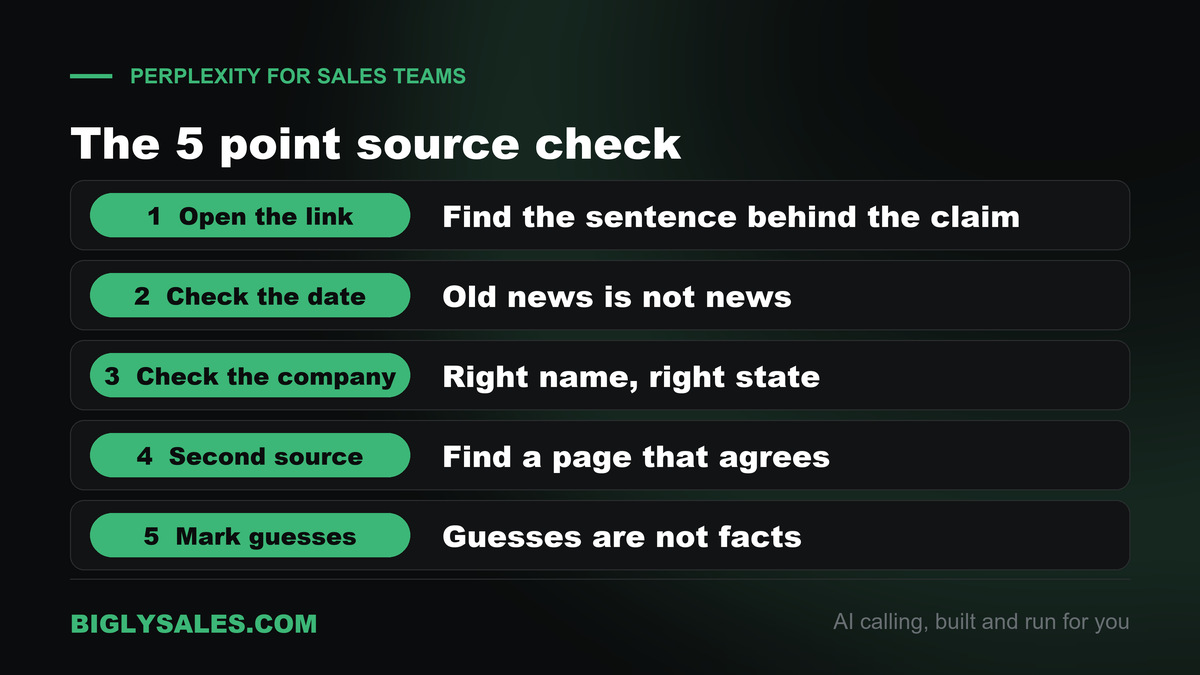
- Open the link. Click the numbered source and find the sentence that backs the claim. If you cannot find it, the claim is out.
- Check the date. A funding round from three years ago is not news. Look at the date on the page, not the date of your search.
- Check the company. Make sure the source is about your prospect and not a company with a similar name in another state.
- Find a second source. For anything you will say on a call, look for a second page that agrees. The company’s own site counts.
- Mark the guesses. Anything Perplexity worked out on its own, like a likely tech stack or budget, goes in the brief as a guess, not a fact.
A simple rule works. Nothing goes in front of a buyer unless someone on your team opened the original source.
Free setup, live fast
Turn your research into conversations
Bigly Sales runs fully managed AI calling for inbound and outbound, with live transfer to your reps. You get a free 30-minute setup, a $1,000 value, and most teams go live within 24 hours.
Use Research mode for account plans
A quick search is right for a single call. For a top account or a new territory, use Research mode.
According to Perplexity’s Research mode help page, it runs many searches, reads the sources and changes its plan as it learns. Most tasks finish in under 3 minutes, and a full answer can take about 4 to 5 minutes. You can export the report as a PDF or a document, or turn it into a shareable Perplexity Page.
Three good jobs for it.
- Account plans. A full picture of a top 20 account before a quarterly push. Locations, leaders, news, competitors and likely pain points.
- Territory maps. The 30 largest companies in one industry and one region, with a line on each and a source for every number.
- Industry primers. A plain guide to a new vertical before your team starts calling into it. What buyers care about and the words they use.
Free users get limited Research runs and Pro users get more. Limits reset on a rolling basis, not on your billing date.
Connect HubSpot or Salesforce
Research is more useful when it sits next to what your team already knows. Both connectors are available on Pro, Max, Enterprise Pro and Enterprise Max.
HubSpot
Per the HubSpot connector help page, the connector is strictly read only. It can search contacts, companies, deals, tickets, products, quotes and invoices, but it cannot change anything. It uses your own HubSpot sign in, so you only see what your HubSpot account can see. To connect, open Plugins, find HubSpot, select Connect and sign in. Then type @hubspot in a question to use it.
Salesforce
Per the Salesforce connector help page, this one can read and write. It can look up accounts, contacts, leads and opportunities and create, update or delete records. Every request runs as the signed in user with that user’s Salesforce permissions. It needs Salesforce Enterprise Edition or above, and your Salesforce admin has to set up an app first. It does not do bulk updates, lead conversion, emails or reports.
Start read only, even on Salesforce. Ask questions like which open opportunities sit at companies in this news story. Add record changes later, once your team trusts the answers.
How to use Perplexity with an MCP server
MCP, the Model Context Protocol, is an open standard that lets an AI assistant talk to other software. Perplexity calls these connections connectors. Our guide to MCP servers for AI calling explains the idea in plain words.
Add a remote MCP connector in Perplexity
Perplexity’s custom remote connector help page lists the steps.
- Open Plugins in the sidebar.
- Choose Add custom, then Add MCP connector, then Remote.
- Enter a name and the MCP server address. It must start with https.
- Pick how to sign in. The choices are none, an API key or OAuth.
- Check the box, select Add, then open the connector card to sign in and turn it on.
On a team plan, an organization admin can add a connector once under Organization settings, then Connectors. New team connectors start switched off until the admin turns them on. Members can only add their own connectors if an admin allows it, and that setting is off by default.
Connect the Bigly Sales MCP server
The Bigly Sales MCP server brings your calling data into the chat. It works with Perplexity, along with ChatGPT, Claude and other assistants that support MCP, and it is available to every Bigly Sales customer. The assistant sees only what your Bigly account is allowed to see.
This is where research meets results. Perplexity tells you a target account just opened three new offices. The Bigly connector tells you whether that account is already in a campaign, what happened on the last call and who asked for a callback. One chat holds both sides.
| Job | Example question | Keep in mind |
|---|---|---|
| Call outcomes | Show today’s outcomes for the insurance campaign, grouped by result | Numbers come from your live account |
| Interested leads | Which leads said they were interested this week? | Check the transcript before a rep calls back |
| Follow-ups | List everyone who asked for a callback and when | Calling windows still apply |
| Contacts and lists | Add these ten researched accounts to a list and send it to the follow-up campaign | Start with read questions before changes |
| Pacing and minutes | How is the campaign pacing, and how many minutes have we used? | Compare with your plan’s minutes |
Ask your Bigly team
Bigly Sales does not publish the server address or sign in steps on its site. Your account rep walks you through setup during the free setup session. Bring these questions.
- What is the server address for my account, and which sign in method do I pick in Perplexity?
- Which tools can read data and which can change it?
- Can a Perplexity organization admin add it once for the whole team?
- Who on my team should have access, and how fast can access be removed?
Privacy and data settings
Check these before reps paste anything about a customer.
- AI data retention. Per Perplexity’s data collection page, this setting is on by default for Free, Pro and Max, and some data may be used to train models. Turn it off in Account settings under Preferences. Turning it off does not remove data collected before.
- Enterprise. Perplexity says Enterprise data is never used for training, and its deals with outside model providers do not allow it either. Files attached to a session are removed after seven days.
- Security. Enterprise plans add single sign-on, and Perplexity holds SOC 2 Type II.
- Projects. Projects are private by default and cannot be made public. Sharing with your whole company is an Enterprise feature.
Researching a public company website is low risk. Pasting a customer’s call transcript into a personal account with data retention on is not.
Where research stops and calling rules start
Perplexity helps you decide who to call and what to say. It does not change the rules for the call itself.
- Do not hunt for personal cell numbers. Finding a number online is not consent to call or text it.
- Check consent and do not call lists before any number goes into a dialer, whatever the research says.
- Keep openers factual. Mention a public, dated fact. Do not guess at a prospect’s budget or problems on the call.
Bigly Sales checks consent, do not call lists and calling windows before every dial, so the research and the rules work together.
Who this is wrong for
- Teams that sell to tiny local businesses with almost no web presence. There is little for Perplexity to find.
- Teams that want help inside Gmail or Outlook. Our Gemini guide and Copilot guide fit better.
- Teams that want live chatter from X about competitors. Our Grok guide covers that job.
- Teams that will repeat a summary without opening the source. Citations only help if someone clicks them.
- Teams that want an AI to dial and talk to leads. Perplexity does not place calls to your leads. That is a calling platform’s job.
Perplexity vs Claude, ChatGPT, Gemini, Copilot and Grok for sales
Every assistant here can help with prep and writing. The difference is what each one does first. The other guides in this series cover each one in depth.
| Assistant | Where it lives | Stands out for | Good fit for |
|---|---|---|---|
| Perplexity | perplexity.ai, the apps and Comet | Answers with a source for each claim | Prospect and account research |
| Grok | grok.com, the apps and X | Live search across X and the web | Competitor and market monitoring |
| Claude | Its own app, desktop and web | Long documents and careful writing | Teams that write long reports and proposals |
| ChatGPT | Its own app and workspace | A broad assistant workspace for teams | Teams that want one general assistant |
| Gemini | Gmail, Docs, Sheets and Meet | Working inside Google Workspace | Teams that run on Google Workspace |
| Copilot | Outlook, Teams, Excel and PowerPoint | Working inside Microsoft 365 | Teams that run on Microsoft 365 |
Many teams end up with two. One for daily work inside email and docs, and Perplexity for research.
How to use Perplexity FAQ
How do I use Perplexity for sales?
Use it as your research desk. Before a call, ask Perplexity for a short brief on the company, its recent news and the person you are calling, with links to every source. Save the prompts that work in a shared Project so every rep asks the same way. Then open the sources before you repeat anything to a buyer.
Is Perplexity free?
Yes, with limits. The Free plan costs $0 and still shows citations in every answer, but it uses basic models and has limited daily usage. Pro costs $17 a month billed yearly and adds Deep Research, model choice and app connectors. A rep who preps several calls a day will outgrow Free quickly.
How much does Perplexity cost for a sales team?
When checked on November 4, 2026, Enterprise Pro cost $40 per seat per month or $400 per seat per year. Enterprise Max cost $325 per seat per month or $3,250 per year. There is no self serve trial for either. Max for one person costs $200 a month or $2,000 a year.
Is Perplexity better than Google for prospect research?
It is faster for a first pass. Perplexity runs several searches, reads the pages and writes one answer with numbered sources, so a rep gets a brief instead of ten blue links. Google is still the place to confirm a detail on the company’s own site. Many reps use Perplexity to find and Google to confirm.
Can Perplexity connect to HubSpot or Salesforce?
Yes, on Pro, Max, Enterprise Pro and Enterprise Max. The HubSpot connector is read only, so it can look up contacts, companies and deals but cannot change them. The Salesforce connector can read and write records and runs with each user’s own Salesforce permissions. It needs Salesforce Enterprise Edition or above.
Does Perplexity support MCP servers?
Yes. You can add a remote MCP server under Plugins, then Add custom, then Add MCP connector, then Remote. Enter a name and an HTTPS server address and pick how to sign in. Organization admins can add a connector once for everyone. The Mac app can also run local MCP servers.
Can Perplexity connect to Bigly Sales?
Yes. The Bigly Sales MCP server works with Perplexity as a custom remote connector, and the server is available to every Bigly Sales customer. Once it is connected, you can ask about call outcomes, interested leads and follow-ups in the same chat as your research. Your Bigly team gives you the server address and sign in steps.
Does Perplexity train on my data?
It depends on the plan. On Free, Pro and Max, a setting called AI data retention is on by default, and some data may be used to train models. You can turn it off in Account settings under Preferences. Perplexity says Enterprise data is never used for training.
Can I trust Perplexity’s citations?
Trust them as pointers, not proof. Every answer links its sources, which is the main reason to use Perplexity for research. But a summary can still mix up two companies, quote an old page or stretch what a source says. Open the link, check the date and confirm the company before a rep uses it.
Should a sales team use Perplexity, ChatGPT, Claude, Gemini, Copilot or Grok?
Pick by job. Perplexity stands out for cited research, which makes it a strong fit for prospect and account research. Gemini fits Google Workspace teams, Copilot fits Microsoft 365 teams, Grok fits live market monitoring, and ChatGPT and Claude suit writing heavy work. None of them places calls to your leads.
The bottom line
Perplexity’s real advantage for a sales team is research you can check. Every claim has a link. Give each rep a Project with your instructions, the prompt library above and the 5 point source check, and pre-call prep drops from an hour of tabs to ten minutes.
Perplexity tells you who to call and what to say. It does not make the calls. When you want AI that dials, qualifies and transfers live to your reps, pair your research desk with a calling platform built for that job.
Ready to talk
Call the accounts your research turns up
Bigly Sales plans start at $99 a month for inbound and outbound AI calling. Book a call and we will map a plan to your call volume and show you the MCP connection.